Launch Your Career in Eye Care
Free Healthcare Career Training
Choose from two career pathways
Both programs include hands-on training that prepares students for entry-level employment and industry certification.
 208 - 234 Hours
  Harbor View
Complete two courses:
- HLTH 614 Optical Technician I
- HLTH 615 Optical Technician II
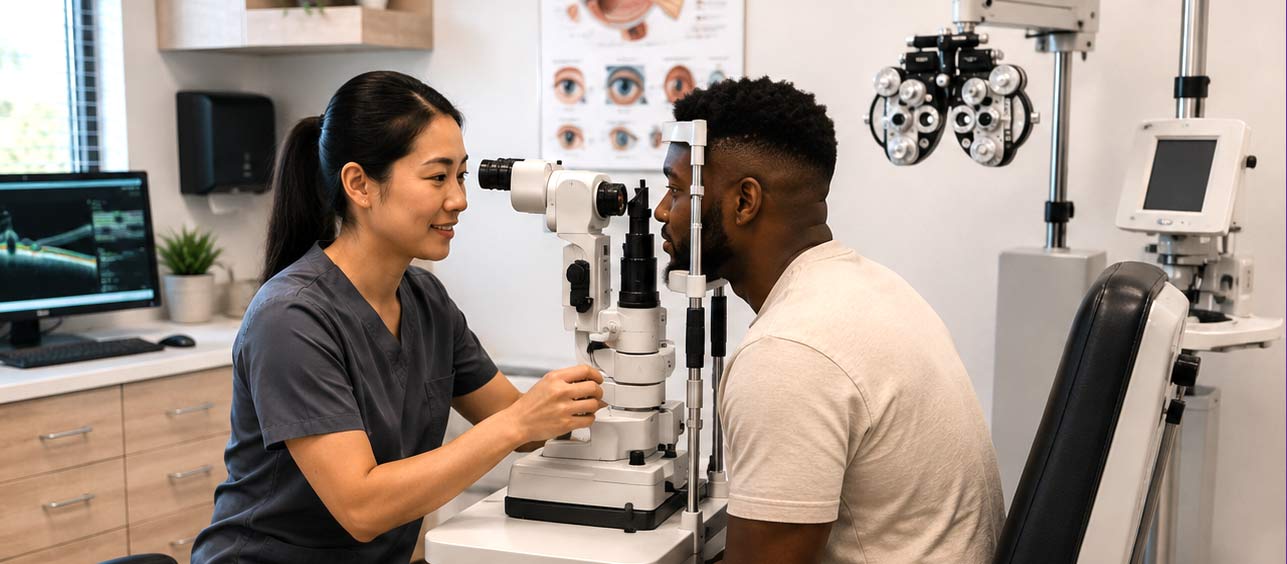
The Optical Technician program trains participants for entry-level jobs in the optical field as Optical Technicians or Dispensing Opticians for spectacles and contact lens. Spectacle lenses, worn in eyeglasses, and contact lenses, placed directly on the eye, help correct vision. Students learn to interpret prescriptions, select and fit lenses, and perform optical calculations. The program covers eye anatomy, refractive errors, optical theory, and professional standards, including HIPAA regulations and ANSI guidelines. Hands-on training includes using a lensometer, adjusting frames, verifying contact lenses, performing keratometry readings, and conducting slit lamp exams. Participants also develop customer service and business skills for working in optical settings such as optometry offices, optical labs, retail stores, and ophthalmology clinics. Graduates are prepared to take the National Opticianry Competency Exam (NOCE) and the Contact Lens Registry Exam (CLRE), leading to certification as a Licensed Optician and Registered Contact Lens Dispenser.
Become a Student Enroll in Classes
Optical Technician Class Schedule
Class
Class Number
Status
Room
Type
Hours per Week
Dates
Instructor
Class Meetings
Textbooks, Materials Fees
Class Notes
Class Description
College Credit
version
208 - 234 Hours Harbor View
Complete two courses:
- HLTH 616 Ophthalmic Assistant I
- HLTH 617 Ophthalmic Assistant II
The Ophthalmic Assistant program trains participants for entry-level jobs supporting eye care professionals in ophthalmology clinics, hospitals, and private practices. Students learn to perform basic eye examinations, operate specialized ophthalmic equipment, and assist with diagnostic procedures. The curriculum covers essential skills including visual acuity testing, eye pressure measurement, patient triage, and medical documentation. Participants develop expertise in diagnostic technology operation, patient intake and communication, pre- and post-operative patient care, medical ethics and confidentiality, infection control protocols, and clinical administrative tasks. Through hands-on training, students gain proficiency in using advanced medical technologies and supporting ophthalmologists during examinations and procedures. The program prepares participants to take the Certified Ophthalmic Assistant (COA) exam, positioning graduates for successful careers in eye healthcare.
Become a Student Enroll in Classes
Ophthalmic Assistant Class Schedule
Class
Class Number
Status
Room
Type
Hours per Week
Dates
Instructor
Class Meetings
Textbooks, Materials Fees
Class Notes
Class Description
College Credit
version
Frequently Asked Questions
- Use this link to complete your CCCApply Noncredit Application at SDCCE
- Please contact SDCCE’s Admissions & Records or visit a Welcome Center online or a campus near you for next steps
Enroll
- Visit mySDCCD and login to your account
- Select Student Quicklinks
- Select CE Enroll and select the term (fall, spring, or summer)
- Click OK
- Answer the questionnaire (must answer all questions)
- Click OK
- Type in the Class Nbr
- Click Enter
- Enter Permission Number if required (note that permission numbers are not required for all classes)
- Click Proceed to Step 2 of 3
- Click Finish Enrolling
After you receive a welcome e-mail with your 10 digit student ID, visit this page to create an account.
You can reset your password at https://sdpss.sdccd.edu/reset/. You will need the answers to the security questions that you created when setting up your account.
If you do not remember your security questions, submit a request along with Government issued photo ID and we can reset password for you at https://mysdccd.atlassian.net/servicedesk/customer/portal/4/group/19.
Complete the Release of Student Information form located on your Student Portal by clicking on the Documents and Forms tab, then Forms tab and open the fillable PDF. Save the form and download it.
Submit the Release of Student Information form to the campus you attended along with Government issued photo ID at https://mysdccd.atlassian.net/servicedesk/customer/portal/4/group/19.
